Showing posts with label how to ebook cover. Show all posts

Sunday, August 4, 2013

Steps of Creating Covers for Western Fictioneers Novels And Ebook Giveaway


The next Western Fictioneers novel to be published will be Jory Sherman's BUZZARD BAIT. I start with the right shape for a cover even if I end up covering it up with a full image.  The color really doesn't matter at this point.  This gives me the shape 6 inches wide and 9 inches tall, which is trade paperback size.


All of the novels published in The Western Fictioneers Library have the same text and logo at the top of the cover.  Colors may vary, however. The black is easy to read on the orange/yellow so that's what I'll start with.


Next I need an image.  I can't find just one picture that fits what I want the cover to say, so I'll add a blend of them. Over at shutterstock.com I bought this image (2847541).  This doesn't feel like a blue book to me, so I took the photo over to a photo editor and played with it.  I painted the blue over with a golden orange. You can find images to buy all over the internet, just search for them on Google. Never use an image that you do not have permission to use.


With the change in color I ended up with this image.


I added the hang rope image to the bottom of the cover.


Next I changed the color of the original rectangle to blend with the image.


With a title like BUZZARD BAIT, we have to have a buzzard.  I found this one on Print Shop.  I think it'll look great with the scaffolding.


Is it better to put the author's name on top or the title?  I know there's been a lot of debate on this subject, but honestly I use what I think works best with the image.  I'd rather have the title take two lines than the author's name, so space-wise I decided to put Jory's name on top.


I used akaPosse font for the text.  This font was found just by Googling 'free western fonts'. It's a very visible font, so I think I'll use it on the title, too.


I want to give this a little more of a western feel.  I go looking for a bull skull.  I found the perfect one in a clipped photo, but it requires me to have my disc in the computer and I'm away from home, so I keep looking. I like this one, but I need it clipped.


Fortunately the program I'm using, Print Shop, allows me to hand crop. Adding the skull tells more of the story.


Now I want to add a little text, but the spacing doesn't work that well, so I copy the hanging image and crop the bottom, then copy and paste that section to add a little length to the pole.


This gives me added clear space I needed at the bottom for a little cover copy.


Add a few words to intrigue the reader, and I have a finished cover.


Jory Sherman's BUZZARD BAIT will be featured in tomorrow's Western Fictioneers blog, so be sure and come back.

The following are covers from The Western Fictioneers Library. All are great reads and a bargain at $2.99.  Covers have Amazon links and you'll even find a few are on sale for only 99 cents right now.


One lucky person will get to choose a free ebook from any of The Western Fictioneers Library books, including Jory's newest coming out tomorrow, BUZZARD BAIT. The winner's name will be drawn from the people who comment.


Monday, January 7, 2013

The Trials and Tribulations of Making E-book Covers


Book covers can be as simple or as complicated as you want to make them.  If you have any kind of photo software, you can make a book cover.

To start you need the size.  Do you want this book to look like a mass market paperback or a hardback?
Mass market paperbacks are 4 ¼” by 7”, with DPI set at 300, this converts to 1275 pixels by 2100 pixels. For Barnes and Noble’s Nook it would be 1269 by 2000 since 2000 is the largest they allow.  A cover this size will work for both Kindle and the Nook.

Trade paperback and hardbacks vary in size but 6” by 9” is a good standard size, with DPI set at 300, this converts to 1800 pixels by 2700. For Barnes and Noble’s Nook it would be 1333 by 2000.

Now you have your shape.  You can start in your photo program with a shape the right size. Your cover can be created using a colored shape, or a photo the right size.

Now you need to find a photo or image that will fit your book that is also legal for you to use.  Do not search for  a photo on the internet to use unless it is in public domain.  You can draw/paint the image, take a photo, or find a painting or photo that is in public domain, or buy the rights to a image online.  There are many places where you can get images to use for a few dollars.  You don’t want the  image to be too busy.  The title and author’s name should be prominent.  Your image does not need  to overpower or make it difficult to read.

The following cover  starts with the black 6: by 9” black shape.  First I add a public domain image.  I centered the image, but thought I might need more space for the title so I lowered the image a little.

 A simple font title gets added
 This is an example of using a different font for the author name.
 The results are a simple easy cover.

If you want to use a full photo cover, trim your photo to fit the shape. For example this is a photo my daughter, Joanna Reasoner took.

To make it into a cover simply crop it.
 With the title at the top, it was a little crowded,  instead I put the author name on top.  You’ll notice that I used plain black on top, but changed it to white with black outline when I moved it to the bottom.  I wanted it to stand out more against the background.
  You can add more text, but try to keep the cover as clean as possible.  It’s wise to test it by zooming out to make the image small.  You want to be able to read the title and author’s name when it’s thumbprint size.

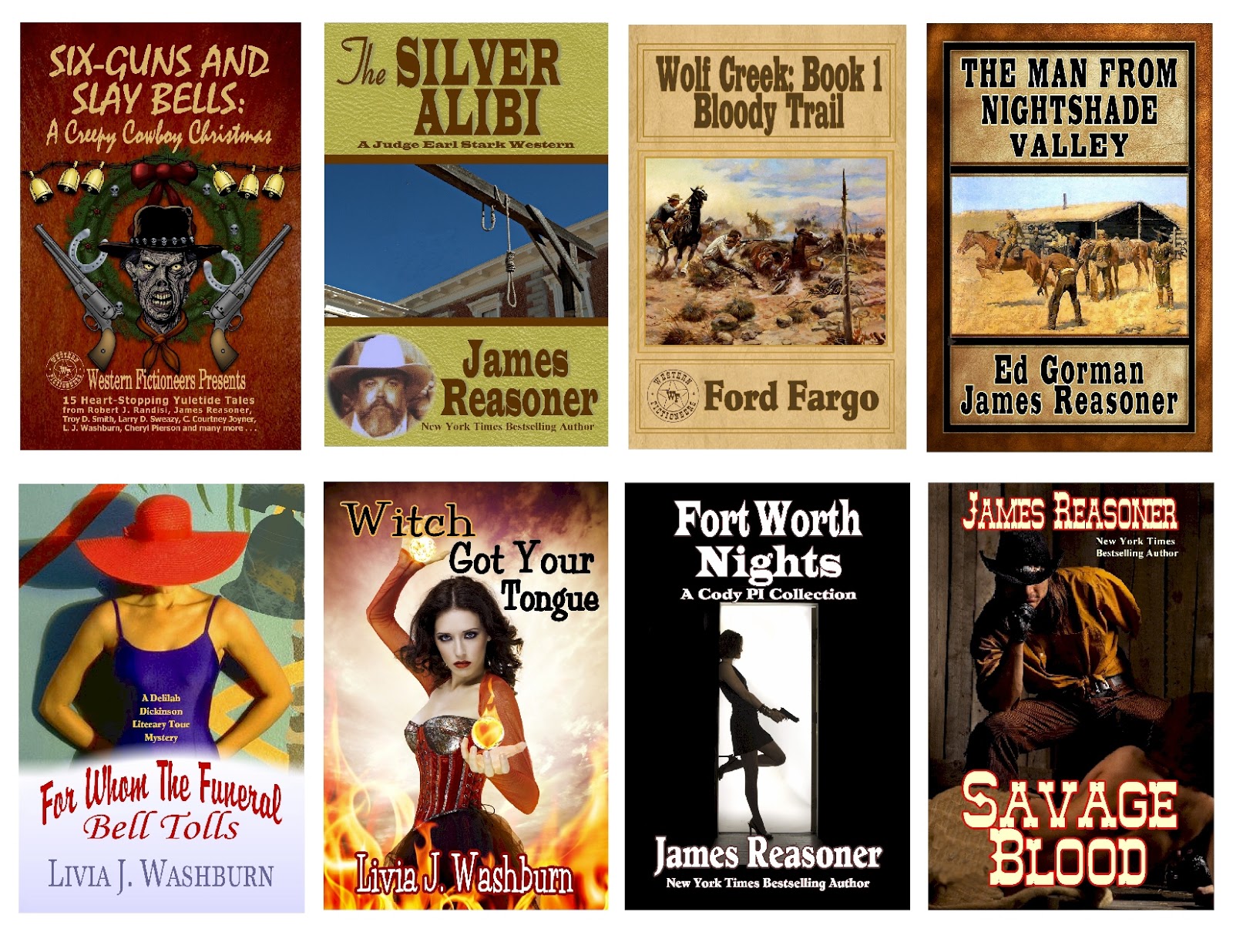
A few of the covers I’ve created.

 Livia J. Washburn has been writing professionally for over 30 years.  Washburn received the Private Eye Writers of America award and the American Mystery award for the first Lucas Hallam mystery, WILD NIGHT. She has been writing both mystery and western stories with the Lucas Hallam character for almost 20 years. She is married to bestselling author, James Reasoner. Her website can be found at www.liviajwashburn.com, and she blogs when she can find the time at http://liviajwashburn.blogspot.com.


FREE E-BOOK COVER

Everyone who comments to this post will be entered in a free e-book cover contest.    Cover will be designed for your book.  Contest will end Sunday January 13th.  Winner will be announced Monday January 14th.  Good luck!

UPDATE 
It's been pointed out that some of the readers who might comment wouldn't need a cover, so I'll offer one cover and an e-book of any of the books shown.  Stagecoach Charlie and Bluebonnet Brunch are not books, just illustrations of how to make a cover.

The winner of the cover or e-book was Kristy McCaffrey. Congratulations Kristy.  If you did not receive my email, you can reach me at livia@flash.net.