

Book covers can be as simple or as complicated as you want to make them. If you have any kind of photo software, you can make a book cover.
To start you need the size. Do you want this book to look like a mass market paperback or a hardback?
Mass market paperbacks are 4 ¼” by 7”, with DPI set at 300, this converts to 1275 pixels by 2100 pixels. For Barnes and Noble’s Nook it would be 1269 by 2000 since 2000 is the largest they allow. A cover this size will work for both Kindle and the Nook.
Trade paperback and hardbacks vary in size but 6” by 9” is a good standard size, with DPI set at 300, this converts to 1800 pixels by 2700. For Barnes and Noble’s Nook it would be 1333 by 2000.
Now you have your shape. You can start in your photo program with a shape the right size. Your cover can be created using a colored shape, or a photo the right size.

Now you need to find a photo or image that will fit your book that is also legal for you to use. Do not search for a photo on the internet to use unless it is in public domain. You can draw/paint the image, take a photo, or find a painting or photo that is in public domain, or buy the rights to a image online. There are many places where you can get images to use for a few dollars. You don’t want the image to be too busy. The title and author’s name should be prominent. Your image does not need to overpower or make it difficult to read.
The following cover starts with the black 6: by 9” black shape. First I add a public domain image. I centered the image, but thought I might need more space for the title so I lowered the image a little.


If you want to use a full photo cover, trim your photo to fit the shape. For example this is a photo my daughter, Joanna Reasoner took.

To make it into a cover simply crop it.


You can add more text, but try to keep the cover as clean as possible. It’s wise to test it by zooming out to make the image small. You want to be able to read the title and author’s name when it’s thumbprint size.
A few of the covers I’ve created.
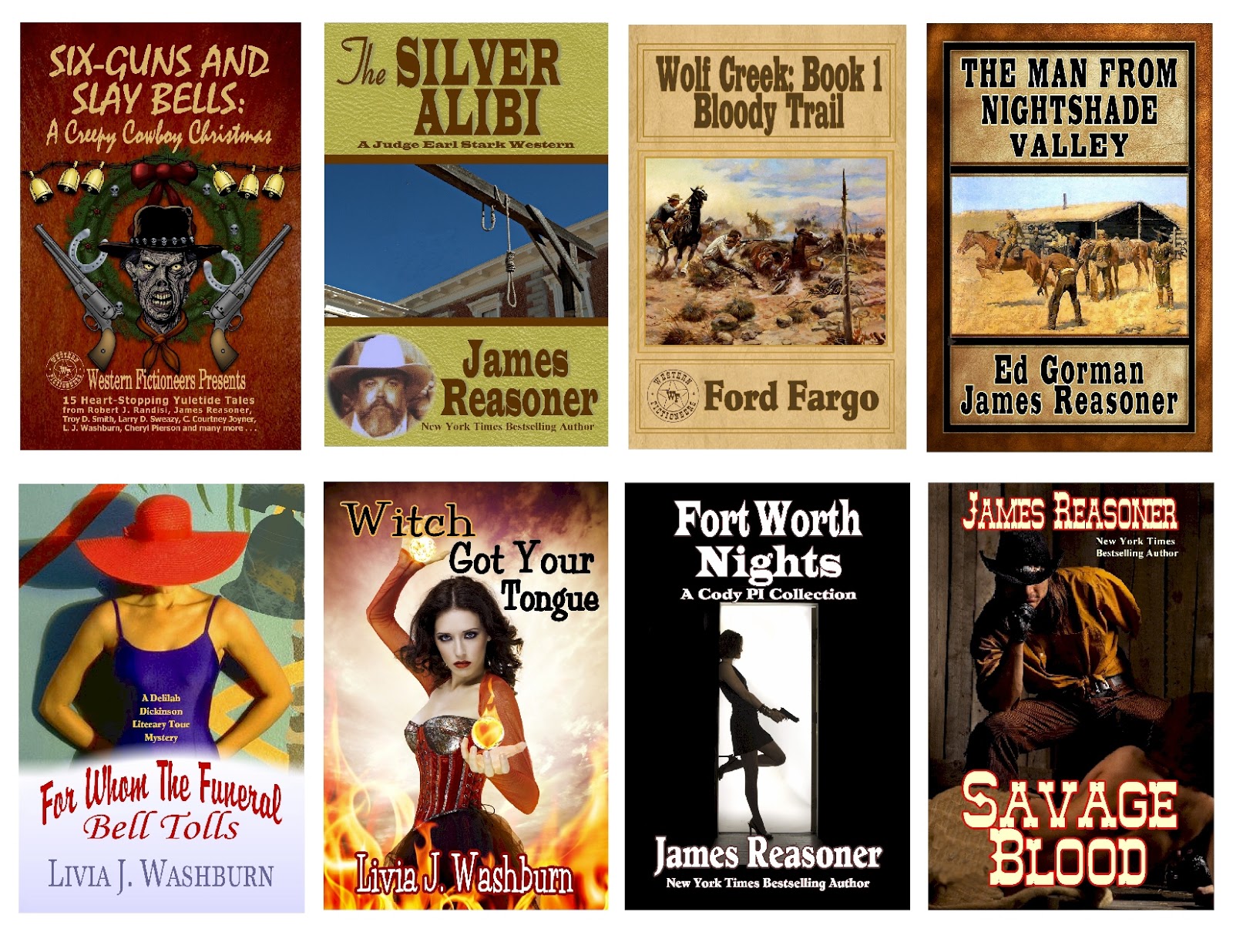

FREE E-BOOK COVER
Everyone who comments to this post will be entered in a free e-book cover contest. Cover will be designed for your book. Contest will end Sunday January 13th. Winner will be announced Monday January 14th. Good luck!
UPDATE
It's been pointed out that some of the readers who might comment wouldn't need a cover, so I'll offer one cover and an e-book of any of the books shown. Stagecoach Charlie and Bluebonnet Brunch are not books, just illustrations of how to make a cover.
The winner of the cover or e-book was Kristy McCaffrey. Congratulations Kristy. If you did not receive my email, you can reach me at livia@flash.net.
UPDATE
It's been pointed out that some of the readers who might comment wouldn't need a cover, so I'll offer one cover and an e-book of any of the books shown. Stagecoach Charlie and Bluebonnet Brunch are not books, just illustrations of how to make a cover.
The winner of the cover or e-book was Kristy McCaffrey. Congratulations Kristy. If you did not receive my email, you can reach me at livia@flash.net.

